Somewhere between booking an Antarctic voyage and boarding it, almost everyone has the same small moment of anxiety: what about my phone? Will it work, will family be able to reach me, and what happens if there is an emergency at home? Let me answer the central question immediately and honestly. For practical purposes there is no antarctica phone signal — no cellular networks at sea, none on the landings, no bars on your screen as you cruise past the icebergs. Your phone becomes, to a first approximation, an excellent camera that occasionally connects to the internet through the ship’s Wi-Fi. That sounds alarming if you are used to being permanently reachable, but it is genuinely fine, and this guide explains exactly how staying in touch really works down here.
I have watched a lot of travelers make peace with their phones over the course of a voyage, and the arc is almost always the same: mild withdrawal on day one, a quiet relief by day three, and reluctance to switch the thing back on by the end. But “no cell signal” does not mean “no contact” — modern ships are more connected than ever, and there are clear, simple ways to reassure the people you love and handle genuine emergencies. Here is the complete picture of phones, signal, and staying in touch in Antarctica.
Will You Get an Antarctica Phone Signal?
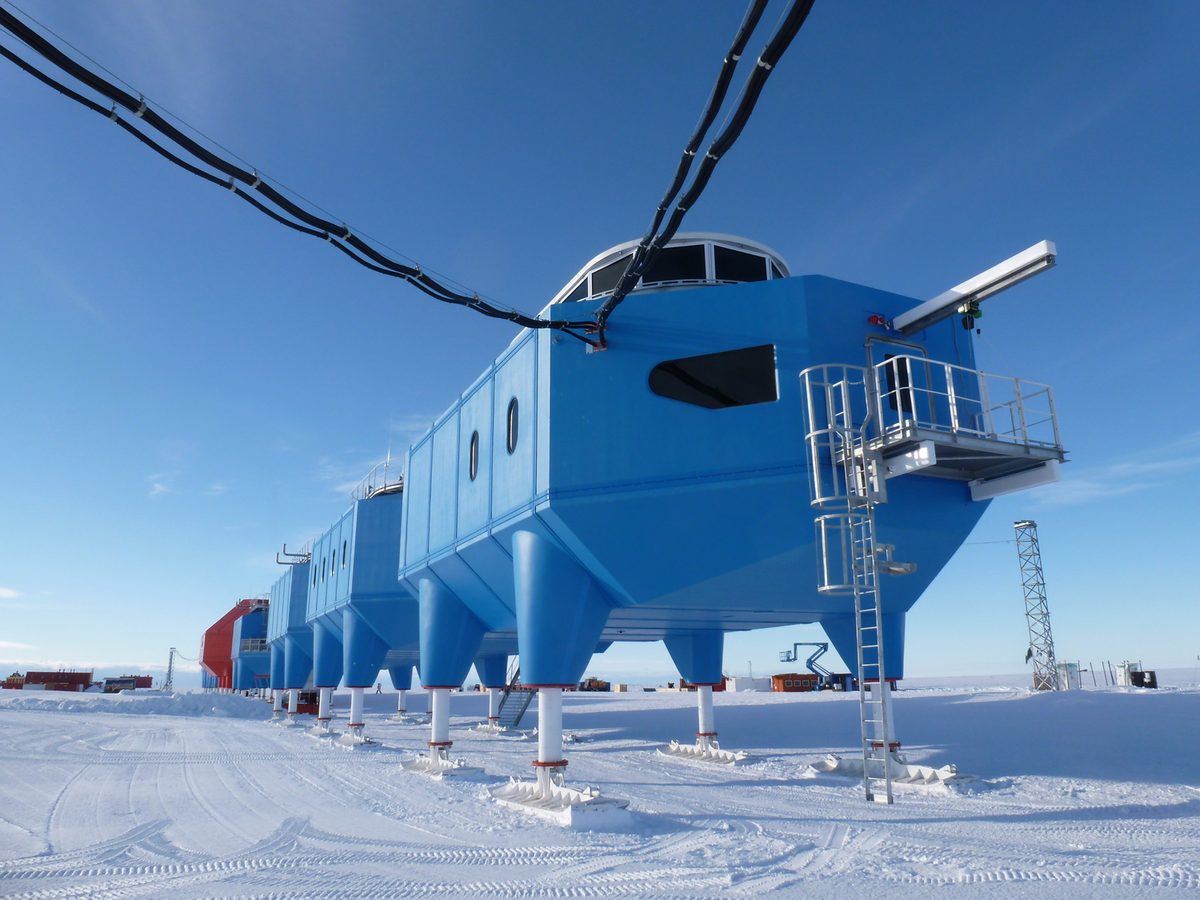
The plain truth about an antarctica phone signal is that you should expect none. Antarctica has no public cellular networks across the overwhelming majority of the continent and its surrounding waters. There are no cell towers along the Peninsula, none at the landing sites, and none out on the Drake Passage, so your phone will search fruitlessly for a network and find nothing. This is not a failing of your carrier or your handset; it is simply the reality of the most remote place on Earth, which has no terrestrial mobile infrastructure and no undersea cables linking it to the global network. Every bit of communication that does leave the continent travels by satellite.
So the moment you sail out of range of your gateway city — within the first hours of your voyage — your cellular signal vanishes and stays gone until you return. Plan your communication around that fact rather than hoping for an exception, and you will never be caught out.
Why There Is No Cell Coverage
It helps to understand why, because it reframes the inconvenience as something rather wondrous. Cellular networks require a dense web of towers and a backhaul connection to the wider internet, usually through fibre-optic cables. Antarctica has neither: it is a continent larger than Europe with no commercial infrastructure, no permanent population to serve, and not a single undersea cable reaching its shores. Building cell coverage for a transient summer population of scientists and tourists makes no economic sense, so it simply does not exist. Instead, the continent runs entirely on satellite communications and radio. When you grasp that you are traveling somewhere genuinely off the global grid, the absent signal becomes part of the adventure rather than a frustration.
The Exception: Research Stations
There is one narrow exception worth knowing about. A handful of research stations have installed their own limited mobile coverage for their staff — the Norwegian Troll station, for instance, hosts what has been described as the world’s southernmost mobile base station, and some bases in more populated pockets like King George Island have local connectivity. But these are private systems serving the science programs, not public networks you can roam onto, and they cover tiny footprints around the stations themselves. As a visiting tourist on a landing, you will not get a usable signal from them. They are a fascinating footnote, not a communication option for your trip. For everything you actually can do online, the answer is the ship, which we cover in detail in our guide to internet and Wi-Fi in Antarctica.
What Your Phone CAN Do
A phone with no signal is far from useless — in fact it becomes one of your most valuable tools, just in different ways than at home. It is a superb camera and video recorder, and for many travelers it is the primary device for capturing the trip. Loaded with offline maps, books, music, and podcasts, it is your entertainment for the long sea days. And whenever the ship’s Wi-Fi is up, it connects to the internet just as it would on any hotel network, letting you message, email, and browse. The trick is to stop thinking of your phone as a telephone and start thinking of it as a connected pocket computer that happens to have a camera. Used that way, it earns its place in your drybag every single day.
Airplane Mode and Avoiding Roaming Charges
This is the single most important practical tip, so do not skip it: put your phone in airplane mode for the entire voyage, then switch Wi-Fi back on so you can still use the ship’s network. Leaving cellular radios on while your phone hunts for a signal drains the battery fast and, worse, can connect to a maritime or satellite roaming network the instant any sliver of coverage appears, landing you with eye-watering charges for a single accidental download. Travelers have come home to nasty bills from exactly this. Airplane-mode-plus-Wi-Fi is the safe configuration, and it also dramatically extends your battery life. Set it as you leave your gateway hotel and leave it that way until you are back on land.
SIM Cards and eSIMs for the Gateway Cities
While your phone is signal-less in Antarctica, you will want it fully working in the gateway cities at either end, where you may spend a day or two before and after the voyage. For Ushuaia or Punta Arenas, a local SIM card or, more conveniently, a travel eSIM gives you cheap local data without roaming fees, useful for taxis, maps, restaurant bookings, and a proper call home before you sail. eSIMs are especially handy because you can buy and install one online before you even land, switching to it on arrival. Set it up in the gateway city, use it freely there, and simply rely on the ship’s Wi-Fi once you are at sea. The logistics of your time in these cities are covered in our guide to how to get to Antarctica.
Making Calls Home
Without a cell signal, traditional phone calls and standard text messages do not work at sea. What does work, whenever the ship’s Wi-Fi is up, is internet-based communication: messaging apps for texts, photos, and voice notes, and sometimes voice or video calls on the better connections and in good conditions. The practical approach is to agree with your family before you leave that you will reach them through a messaging app rather than a phone number, and that contact will be intermittent. A short daily message saying all is well, sent when the signal allows, is the sweet spot. Manage expectations on both sides and nobody worries. Our guide to Antarctica Wi-Fi explains exactly how reliable those app-based calls tend to be.
Satellite Phones and Messengers
For travelers who genuinely cannot be out of contact — those with health situations at home, critical work obligations, or simply deep anxiety about disconnection — personal satellite communication is an option, though rarely a necessary one. Satellite phones work anywhere in Antarctica, and satellite messengers like the handheld two-way devices popular with adventurers can send texts and location pings from anywhere under open sky. These are the tools that genuinely function with no cell signal at all. That said, the vast majority of tourists do not need them, because the ship itself is always connected via its own satellite systems and can relay any urgent message. If your circumstances make guaranteed personal contact essential, research a satellite messenger before you travel; if not, the ship has you covered.
Emergency Communications: The Ship Has You Covered
Here is the reassurance that matters most. Your personal phone being signal-less does not mean you are cut off in an emergency, in either direction. Expedition ships carry robust, dedicated satellite communication systems entirely separate from passenger Wi-Fi, so the crew can always reach other vessels, gateway authorities, and rescue services. If something happens to you on the trip, the ship coordinates the response, as described in our guide on whether Antarctica is safe to visit. And if there is an emergency at home, your family can contact the operator’s shoreside office, who will relay the message to the ship. The key action is to give your loved ones that shoreside contact number before you leave, so they have a guaranteed channel to you that does not depend on your phone at all.
Your Phone as a Camera
For most travelers, the phone’s real job in Antarctica is photography, and it excels at it. Modern phone cameras handle the dramatic light, the vast landscapes, and the up-close wildlife encounters beautifully, and they are quick to pull out when a humpback surfaces beside your Zodiac. A few habits help: shoot in the highest quality your storage allows, carry a power bank because cold drains batteries, and keep the phone in a pocket close to your body between shots to keep it warm. Back up your images to a laptop or drive rather than relying on cloud sync over the ship’s limited Wi-Fi. The wildlife you will be photographing is detailed in our Antarctica wildlife guide, and the experiences worth capturing in our guide to things to do in Antarctica.
Battery Life in the Cold
Cold is hard on batteries, and this surprises people every season. Lithium batteries lose capacity rapidly in low temperatures, so a phone that shows fifty percent in the warm ship can die within minutes out on a frigid Zodiac cruise. The fixes are simple: keep your phone in an inside pocket against your body warmth, only pulling it out to shoot; carry a fully charged power bank, itself kept warm; and turn the screen brightness down and close background apps to conserve power. A phone that has gone cold and “died” will often revive once warmed up, so do not panic if it shuts off — tuck it against your body and it usually comes back. Bring a power bank you trust; it is one of the small pieces of kit our what to pack for Antarctica guide insists on.
Protecting Your Phone From Water and Drops
Antarctica is wet, salty, and full of opportunities to drop a phone into the sea from a moving Zodiac, so protection matters. A simple waterproof pouch or a quality case with a wrist lanyard dramatically reduces the risk of a catastrophic loss, and many travelers keep the phone tethered or zipped into a pocket during transfers, only bringing it out once safely ashore. Salt spray is corrosive, so wipe the phone down after a wet excursion. None of this requires expensive gear — a basic dry pouch costs little and has saved many a phone and many a memory card. Treat the transfer in and out of the Zodiac as the moment of maximum risk and handle your phone accordingly.
Apps to Download Before You Go
Because connectivity is intermittent, front-load your phone with everything you might want offline while you still have fast gateway-city Wi-Fi:
- Offline maps of your region and gateway cities.
- Books, magazines, and a few films or series for the sea days.
- Music and podcasts downloaded for offline listening.
- A bird and wildlife identification guide, ideally one that works offline.
- Your messaging app of choice, set up and tested with family.
- Digital copies of your travel documents and insurance certificate.
- A travel eSIM installed and ready to activate in the gateway city.
Telling Family What to Expect
The biggest source of phone-related stress on an Antarctic trip is not your own disconnection but your family’s worry, and a five-minute conversation before you leave prevents it entirely. Explain that you will have no cell signal at all, that you will reach them through a messaging app when the ship’s Wi-Fi allows, and that gaps of a day or more are completely normal and mean nothing more than that you are out of range. Crucially, give them the operator’s shoreside emergency number so they have a real channel if they ever truly need it. Agreeing that “no news is just no signal” turns a potential source of anxiety into a non-issue for everyone.
The Unexpected Joy of Disconnection
Let me end the practical sections with something less practical but more important. The forced disconnection of an Antarctic voyage is, for a great many travelers, one of the trip’s quiet gifts. Freed from the constant pull of notifications, people find themselves more present — watching the sea for hours, talking properly with fellow passengers, sleeping better, noticing more. The phone shrinks back to being a camera, and the world shrinks to the ship, the ice, and the wildlife. Most people return saying the digital silence was something they did not know they needed. So while it is wise to prepare for staying in touch, I would gently encourage you to lean into the disconnection too. It is rarer and more valuable than it has ever been.
A Phone and Connectivity Checklist
- Expect no cell signal at all once you leave the gateway city.
- Set airplane mode plus Wi-Fi for the whole voyage to avoid roaming charges.
- Buy a local SIM or eSIM for the gateway cities.
- Agree a messaging-app contact plan and daily check-in window with family.
- Give loved ones the operator’s shoreside emergency number.
- Download maps, media, and documents while on fast gateway Wi-Fi.
- Carry a power bank and keep your phone warm to preserve battery.
- Use a waterproof pouch and lanyard for Zodiac transfers.
Connectivity Across the Whole Journey
Think of your trip as three connectivity zones, each calling for a different phone habit. In the gateway city you have normal, fast networks through your SIM or eSIM and hotel Wi-Fi, so handle anything important there — banking, confirmations, a proper call home, and final downloads. At sea and on the ice you have no cellular signal and only the ship’s intermittent Wi-Fi, so your phone shifts to camera-and-offline mode with the occasional message home. Then you return to gateway connectivity at the end. Planning around these zones removes nearly all phone stress: front-load the essential communication where the signal is strong, and let the disconnected stretch simply be what it is. This same zoned thinking applies to money and admin too, as our guides to money and currency for an Antarctica trip and the continent’s biosecurity routines explain — the gateway city is where you sort logistics, and the ship is where you let go of them.
Should You Bring a Dedicated Camera Too?
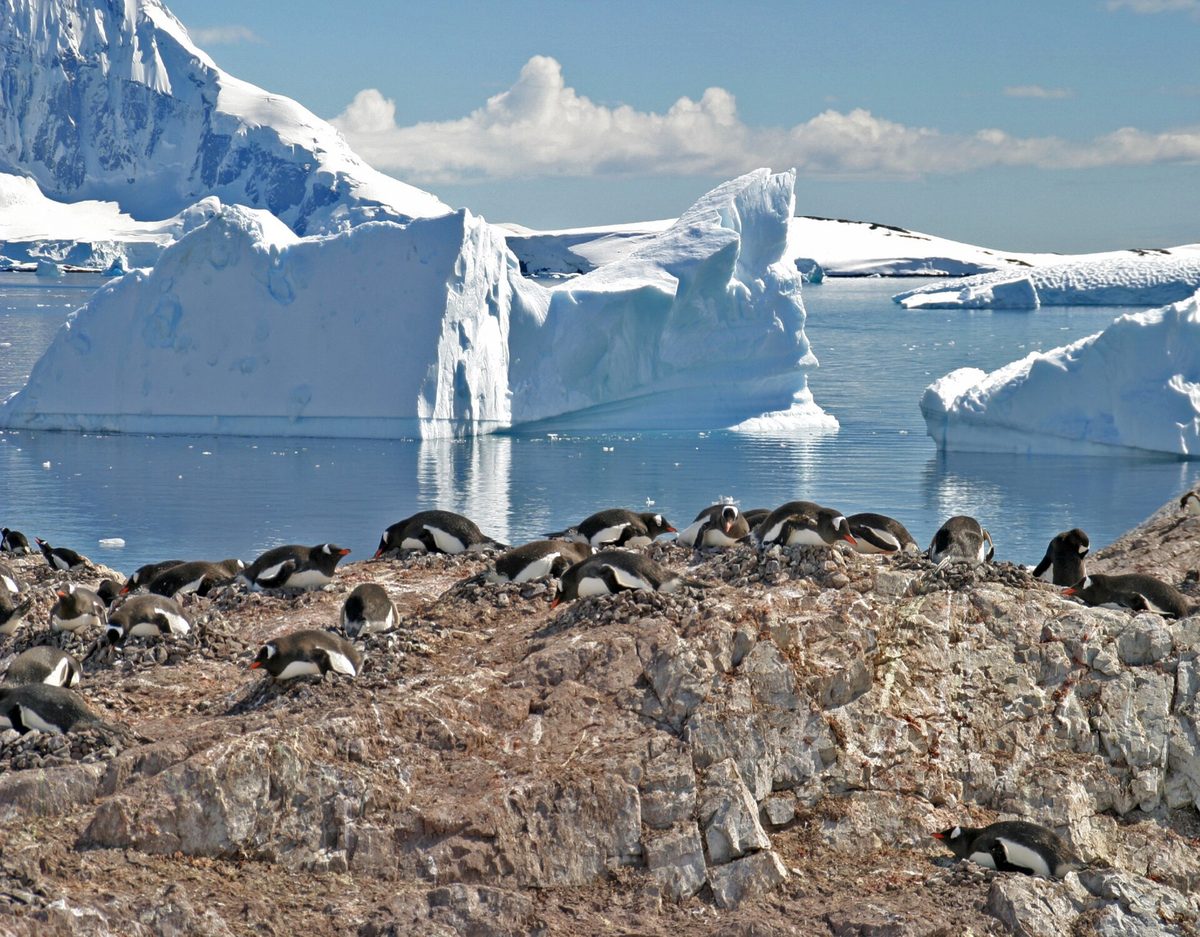
Because the phone is signal-less, some travelers lean on it entirely for photography, while others bring a dedicated camera. Both choices are valid. A phone is light, always with you, and superb for wide landscapes and quick wildlife grabs; a dedicated camera with a long lens captures distant penguins, seabirds, and breaching whales that a phone simply cannot reach. If you bring both, the same cold-weather and waterproofing rules apply to each: keep batteries warm, protect against spray, and back everything up to a laptop rather than the ship’s limited Wi-Fi. Whatever you carry, the deeper point stands — your devices are there to capture the experience, not to keep you tethered to the outside world. The encounters worth photographing, from the rookeries to the channels, are described throughout our guides to the wildlife and the realities of the crossing that gets you there.
Frequently Asked Questions
Will my phone work in Antarctica?
Not as a phone — there is no cellular signal at sea or on landings. It will work as a camera and, whenever the ship’s Wi-Fi is up, for internet-based messaging, email, and browsing. Keep it in airplane mode with Wi-Fi on.
Is there any cell phone signal in Antarctica?
Effectively none for tourists. A few research stations run private, minimal mobile coverage for their own staff, but these are not public networks you can use. Plan for zero cellular signal throughout your voyage.
How do I call home from Antarctica?
Through internet-based messaging apps over the ship’s Wi-Fi, not standard phone calls. Agree with family in advance to use an app, and expect intermittent contact. A short daily message when the signal allows is the realistic sweet spot.
Do I need a satellite phone?
Most tourists do not, because the ship’s own satellite systems handle all emergency communication. Personal satellite phones or messengers are worth considering only if your circumstances demand guaranteed personal contact regardless of the ship’s network.
How do I avoid huge roaming charges?
Put your phone in airplane mode and re-enable only Wi-Fi for the entire trip. This stops it from connecting to expensive maritime or satellite roaming networks and prevents the surprise bills some travelers have come home to.
Can my family reach me in an emergency?
Yes. Give them the operator’s shoreside office number before you leave. The ship’s dedicated satellite communications are separate from guest Wi-Fi, so urgent messages can always be relayed to you even with no personal signal.
Why does my phone battery die so fast in the cold?
Lithium batteries lose capacity quickly in low temperatures. Keep your phone warm in an inside pocket, carry a power bank, and pull the phone out only to shoot. A cold phone that shuts off often revives once warmed against your body.
Should I bring a SIM card for Antarctica?
A SIM or eSIM is useful only for the gateway cities, not for Antarctica itself, where no network exists. Set it up for Ushuaia or Punta Arenas and rely on the ship’s Wi-Fi at sea.
Can I post to social media from Antarctica?
Sometimes, when the ship’s Wi-Fi is up and conditions are good, but expect it to be slow and intermittent. Compress images and post sparingly to respect shared bandwidth. Many travelers save the full photo dump for their gateway hotel or home, where connectivity is fast.
Does an eSIM work in Antarctica?
No — an eSIM relies on cellular networks, which do not exist in Antarctica. It is valuable only in the gateway cities. At sea your sole connection is the ship’s Wi-Fi, so set up the eSIM for Ushuaia or Punta Arenas and switch to ship Wi-Fi once you sail.
Final Thoughts
Phones in Antarctica are a lesson in adjusted expectations. There is no signal, and there does not need to be: your handset becomes a brilliant camera and an offline companion, the ship keeps you loosely connected through its Wi-Fi, and a simple plan — airplane mode, a messaging app, a shoreside emergency number for family — covers every realistic need. Prepare those few things before you sail and you can stop worrying about staying in touch and start enjoying the rare luxury of being genuinely, gloriously out of range. For the rest of your preparation, our Antarctica travel tips hub and our guide to Antarctica cruises bring the whole journey together.